
Calibrate Honda CR-V TPMS & Reset the Tire Pressure Light
When you see the tire pressure light come on, it could indicate that something is wrong with the tires, with the most likely issue being that they are underinflated.
This system alerts you that the tires need immediate attention. However, there are times when you need to reset the system manually in certain situations.
In this quick guide, I will cover the steps to reset the TPMS and explain a few necessary things so you can get back on the road comfortably and quickly.
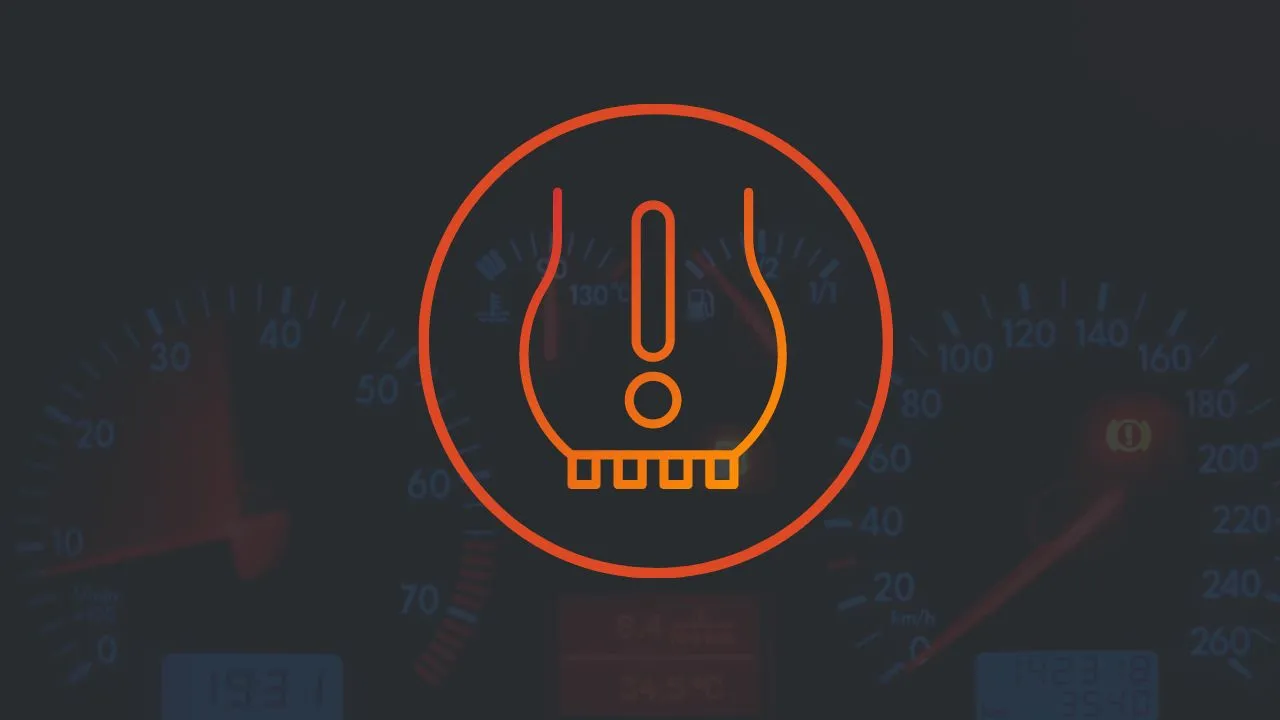
If You’re in a Hurry: How to Calibrate TPMS on a Honda CR-V
- Set all four tires to the cold pressure printed on the driver’s door jamb.
- Park, ignition ON (engine running is fine).
- 2017–2026 with a touchscreen: HOME → Settings → Vehicle → TPMS Calibration → Calibrate.
- 2014–2016 (most trims) and some LX models: press and hold the TPMS button under the left side of the dash until the light blinks twice.
- Drive. The system finishes on its own after roughly 20–30 minutes of driving at 30–62 mph.
2007–2013 CR-Vs don’t have a calibration step at all. They use real pressure sensors, and that changes everything. More on that below.
Why “Calibrate” and “Reset” Mean the Same Thing on a CR-V
Since the 2014 model year, the CR-V has used an indirect TPMS. There’s no sensor inside the wheel.
The system reads the ABS wheel-speed sensors instead. A tire that’s low on air has a slightly smaller rolling diameter, so it spins a bit faster than the others. The computer catches that difference.
That only works if the car knows what “normal” looks like. Calibration is how you teach it a new baseline. So whenever you add air, rotate, or replace a tire, you recalibrate.
Earlier CR-Vs (2007–2013) use direct TPMS, with a battery-powered sensor on the back of each valve stem. There’s nothing for you to calibrate there.
| Model years | TPMS type | How the light clears |
|---|---|---|
| 2023–2026 | Indirect | TPMS Calibration menu on 7″ or 9″ touchscreen |
| 2017–2022 | Indirect | Display Audio menu (most trims), TPMS button or audio menu (LX) |
| 2014–2016 | Indirect | TPMS button (most trims), i-MID menu (2015–16 Touring) |
| 2007–2013 | Direct (sensors in wheels) | Clears on its own once pressure is correct and you drive |
| 2006 and older | None | No TPMS, so check with a gauge |
Steps to Take Before Resetting
When the tire pressure indicator light comes on, it can be annoying, and you’ll want to fix it right away. However, there are things you need to do before resetting the system.
First, check the tire pressure. If the pressure is not correct, make sure to fix it before resetting the light. Here are the detailed steps:
1. Check Your Tire Pressure
The Honda CR-V features an Indirect TPMS system, meaning you can’t see the tire pressure for each wheel individually. The system will only warn you if the tire pressure is not as recommended.
To get accurate readings, you must use a tire pressure gauge. Follow these steps:
- Use a tire pressure gauge
- Take off the valve cap from one tire
- Press the gauge onto the valve stem, making sure no air escapes; otherwise, the reading won’t be accurate
- Remove the gauge and put the valve cap back on
- Check the reading
- Repeat these steps for all four tires to get the readings
2. Correct the Tire Pressure
You can check the label inside the driver’s door to find the correct air pressure for your CR-V tires. Most CR-V models specify a tire pressure between 32 and 36 PSI, depending on the tire position and wheel size. You can find comprehensive guidelines on tire pressure for your Honda CR-V here: Honda CR-V Tire Pressure.
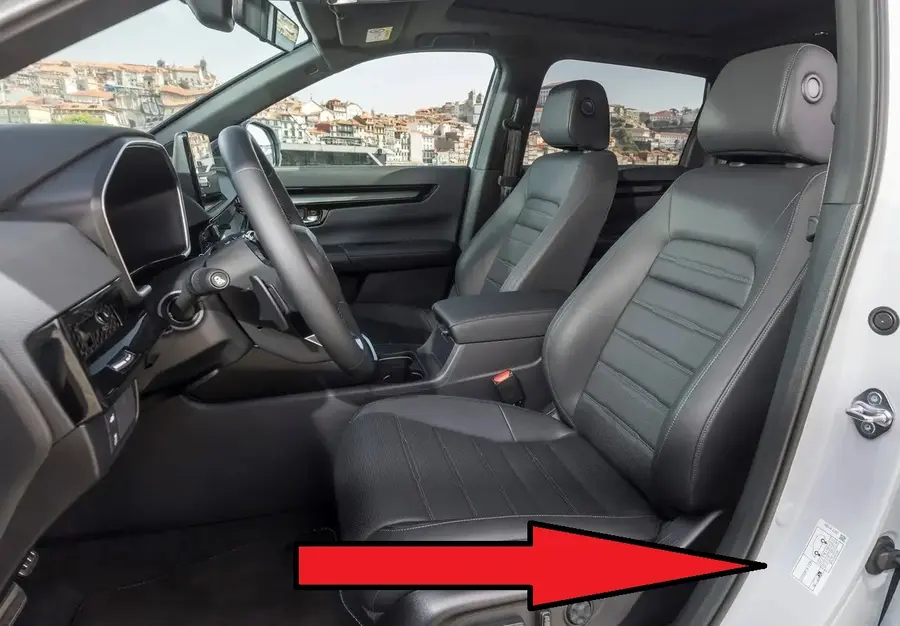
If you find the tires don’t have enough air, you’ll need to add more. You can use an air compressor or a portable tire inflator to add air at home. If you’re not at home, you can visit the nearest gas station to get air for free.
Here are the steps for putting air in the CR-V tires.
- Take off the cap from the tire’s valve stem
- Don’t lose the cap, Keep the cap in a safe place
- Attach the air hose
- Push down until you hear the air going into the tire
- Hold it for a few seconds
- Monitor the pressure with your tire gauge
- If the pressure is still low, keep adding air
- Once the pressure is correct, put the cap back on
- Repeat for all tires
Do not put too much air in the tire, as exceeding the recommended pressure can be dangerous. If you find too much air in the tire, you will need to release some of it.
All of the above steps can seem quite troublesome, but you can simplify the process by using an electric portable tire inflator. These devices often have an automatic feature that adjusts the air pressure according to the settings you enter, stopping automatically when the correct pressure is reached.
Having an electric portable tire inflator in the backseat is a good investment. I have one and am very happy with it.
Some Points to Note
Before you reset the TPMS on your Honda CR-V, here are a few things to keep in mind:
- You can’t calibrate the TPMS if a compact spare tire is on.
- The calibration process requires approximately 30 minutes of cumulative driving at speeds between 30-65 mph (48-105 km/h).
- If you turn the ignition off and on again during calibration, and the car doesn’t move within 45 seconds, the low tire pressure light might come on for a short time. This is normal and means the calibration isn’t finished yet.
How to Reset Tire Pressure Light
When the air pressure in the tires is correct, the warning light should disappear automatically.
However, there are many cases where the warning light doesn’t turn off on its own, and you need to reset it manually. This might be what happened to your CR-V, leading you to this article.
Here are some pointers based on the CR-V model year.
2023-2026 Honda CR-V
If you drive the new six-generation CR-V, here are the steps to reset the TPMS.
Model With 7-in. Color Touchscreen
- Make sure the vehicle is completely stop
- Get the transmission on P and the power mode is in ON
- Press the Home button, and select the settings, then press the left selector wheel
- Roll the left selector wheel find TPMS calibration and press the left selector wheel
- select calibrate
- calibration started
- If the Calibration failed to start message appears, repeat step 5
Model With 9-in. Color Touchscreen
- Make sure the vehicle is completely stop
- Get the transmission on P and the power mode is in ON
- Press the HOME button
- Select Vehicle Settings
- Select TPMS Calibration
- Choose Calibrate or Cancel
- If the “Calibration Failed to Start” message appears, repeat step 4
- The calibration process will be completed automatically
2014-2022 Honda CR-V
Models With Information Display
- Make sure the vehicle is completely stop
- Get the transmission on P and the power mode is in ON
- Press and hold the TPMS button until the low tire pressure/TPMS indicator blinks twice, indicating the calibration process has begun.
Models With Color Audio System
- Make sure the vehicle is completely stop
- Get the transmission on P, and the power mode is in ON
- Press the information button on the steering wheel control, then select Vehicle Setting
- Find the TPMS Calibration and press Enter
- The display switches to the customization setup screen, where you can select Cancel or Calibrate
- Select Calibrate and press Enter
- Calibration Started and will finish automatically
Models With Display Audio
- Make sure the vehicle is completely stop
- Get the transmission on P, and the power mode is in ON
- Select Home
- Select Setting
- Select Vehicle Setting
- Find TPMS Calibrations
- Select Calibrate
- Calibration Started and will finish automatically
2007–2013 Honda CR-V: There’s Nothing to Calibrate
This is the section most guides get wrong, so I’ll be blunt about it.
The third-generation CR-V and the 2012–2013 models use direct TPMS. Each wheel has a sensor that’s built into the valve stem and reads actual air pressure.
There’s no button and no menu. Fix the pressure, drive for a while, and the light should go off by itself. The system only reports once you’re moving at roughly 28 mph or faster, so a lap around the parking lot won’t do it.
One owner on the Bob Is The Oil Guy forum posted about his daughter’s 2013 CR-V. The light came on right after a tire rotation, even though the pressures were correct. It was gone the next morning and never came back. That’s typical.
When the light won’t go off on a 2007–2013
If the pressures are right and the light stays on (or blinks at startup), suspect a sensor. Here’s what I’d check, in order:
- Dead sensor battery. These batteries are sealed inside the sensor and typically last 7–10 years. The newest car in this range is now over a decade old, so a lot of original sensors are on borrowed time.
- Damage from tire sealant. Canned sealant can gum up a sensor and set false warnings.
- New wheels or sensors. According to a technical guide on the 2007–2013 CR-V, this system can’t auto-learn new sensor IDs. A shop has to register them with a scan tool and a TPMS activation tool.
After a plain tire rotation, the IDs don’t need to be relearned. Only new sensors do. That’s a fair question to ask any tire shop before they charge you for a “TPMS relearn.”
If you’re shopping for a used 2007–2013 CR-V, watch for a TPMS light that blinks and then stays on. It almost always means the car needs at least one new sensor, which costs money. I’d use it as a bargaining point.
2006 and older
No TPMS at all. Your tire gauge is the warning system, so keep one in the glovebox.
How to Know the Calibration Actually Finished
The touchscreen won’t send you a “Calibration complete” message. Here’s how to check.
During calibration, if you switch the car on and don’t move it within 45 seconds, the low tire pressure light comes on for about 2 seconds. Honda says that’s normal. It means the process isn’t finished yet.
So after a good 30-minute drive:
- Turn the car off, then back on.
- Sit still for about 45 seconds.
- If the light doesn’t flicker, calibration is done.
If it still flickers, keep driving. Highway or steady suburban roads finish it faster than stop-and-go traffic.
The 2024 CR-V owner’s manual lists about 30 minutes of cumulative driving at 31–62 mph (50–100 km/h). The time adds up across trips, so you don’t need to do it all at once.
Why and when you Need to Reset
As I mentioned earlier, resetting the tire pressure light is something you should do if you are bothered by the warning light being on. Although eventually, the warning light will disappear after the system resets itself.
The indicator light will usually disappear a few minutes after you fill the tires with the correct amount of air. However, if you don’t want to wait, you can reset it manually.
Additionally, the owner’s manual provides instructions for resetting the tire pressure light in several situations, including:
- After adjusting the pressure in one or more tires
- After rotating the tires
- After replacing one or more tires
If the tire pressure indicator light is on for reasons other than the above, you should have a qualified Honda technician handle it.
The Weak Spot of Indirect TPMS
Indirect TPMS compares tires to each other. That’s its blind spot.
On a cold winter morning, all four tires lose pressure at roughly the same rate. Nothing spins faster than the rest, so the system may stay quiet while every tire sits a few psi low.
Honda says it directly: don’t rely on the monitor alone. Check with a gauge once a month and after big temperature swings. That takes two minutes, and it’s the habit that actually protects your tires.
For target numbers by trim and tire size, see our full Honda CR-V tire pressure guide.
Conclusion
Tire pressure is crucial for safe driving, which is why you should never ignore the indicator light. If the light is on, you should immediately check your vehicle’s tires.
Once you are sure that the tire pressure is correct, you can turn off the light and get back on your way.
This is a brief guide from me about turning off the tire pressure indicator light. I hope it helps you better understand how to do it.